




Almost every wireless gaming mouse talks to its receiver over the same crowded 2.4GHz band as your headset, keyboard, controller and many of the other gadgets in your home. SteelSeries’ new Rival Pro and Sensei Pro skip it. The $179.99 mice use ultra-wideband (UWB) radio, the short-range tech better known from item trackers, and they come with two swappable batteries so one is always charging. Reviewers mostly love the result. The catches: it costs more than most flagship rivals, it needs a base station on your desk, and the mouse has no USB port at all, so there’s no plugging in a cable when the battery runs out.
Key points
- SteelSeries’ Rival Pro, Sensei Pro and their Mini versions cost $179.99 each and connect over ultra-wideband in the 6.4GHz to 9.056GHz range instead of 2.4GHz.
- Each mouse ships with two hot-swappable batteries; SteelSeries rates each at 16 hours at 8,000Hz polling or 60 hours at 1,000Hz.
- Reviews from Engadget, Digital Foundry, Tom’s Guide, Trusted Reviews, BGR and GamesRadar+ are largely positive about speed, connection stability and the battery swap.
- Reviewers’ complaints include the price, a fingerprint-prone black finish, a basic scroll wheel, the required desk base station and no USB port on the mouse.
What $179.99 buys
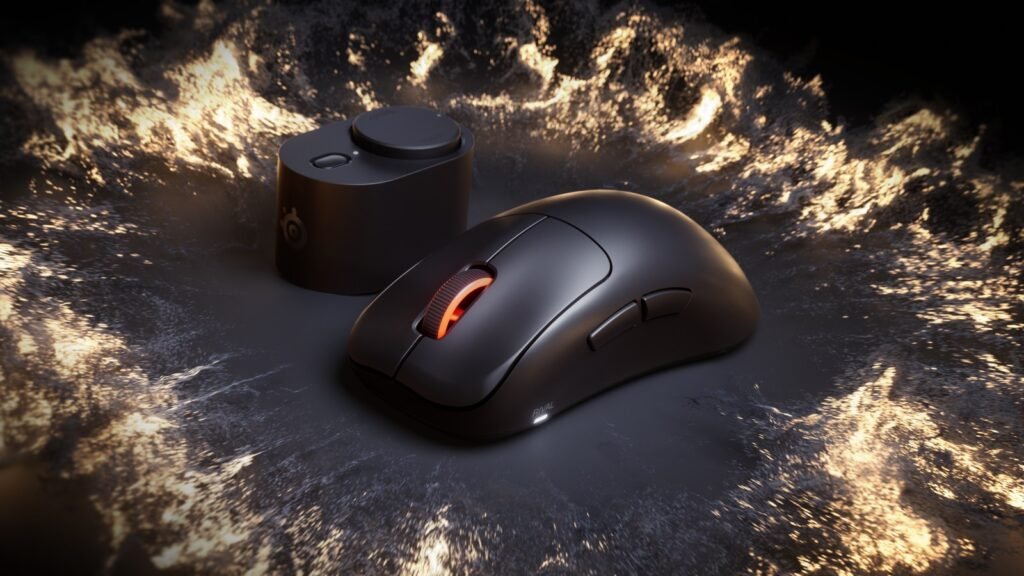
SteelSeries announced the line on Sept. 29 and put it in stores on Oct. 13. There are four models at the same $179.99 U.S. price (€199.99, £169.99): the right-handed, ergonomic Rival Pro, the symmetrical Sensei Pro, and smaller Mini versions of each, in black or white. The Sensei and Rival names go back to 2011 and 2013; reviewers say all four are the same mouse inside.
The company’s spec sheet, which are its own claims:
- Connection: UWB in the 6.4GHz to 9.056GHz range, which SteelSeries says gives it “roughly 20x the bandwidth” of 2.4GHz. It calls these “the world’s first pure UWB wireless mice with true 8K performance.”
- Polling: up to 8,000Hz, with an optional 9K “over-polling” mode that reviewers at Engadget and GamesRadar+ describe.
- Sensor and switches: a TrueMove 42K sensor (42,000 DPI, 800 IPS, 70G) and optical switches rated for 100 million clicks, with 0.35ms click latency.
- Weight: 53 grams for the full-size models and 49 grams for the Minis. The Verge notes the white versions weigh one gram more.
- Battery: two swappable cells, rated at 16 hours each at 8K polling or 60 hours each at 1K. SteelSeries adds those up to “32 hours @8K” and “120 hours @1K” across both.
A $24.99 wireless travel dongle is sold separately, only on SteelSeries’ own store.
Why a mouse needs a different radio
The pitch rests on a real problem. Polling rate is how often the mouse reports its position to the PC: 1,000 times a second is standard, 8,000 is the current high-end bragging right. More reports mean more data over the air, and 2.4GHz is shared with Bluetooth, many Wi-Fi networks and most wireless peripherals. Tom’s Guide’s Peter Wolinski explains the worry: when devices fight over channels, there can be millisecond gaps while one hunts for a free one, which is nothing for a speaker and a problem for a cursor mid-flick.
Crowded venues are where it bites. Digital Foundry’s William Judd points to a recent Valorant Champions tournament where, he writes, Riot Games asked competitors to swap to wired mice. SteelSeries’ software includes a “LAN mode” that cuts UWB transmission strength to prevent interference.
UWB has tradeoffs. Engadget’s Sam Rutherford says it doesn’t handle objects between the mouse and receiver as well, and Tom’s Guide calls its range “very short,” enough to cover a mousepad. That’s why the receiver is a desk-sized base station on a 2-meter cable, per GamesRadar+, not a dongle tucked into the back of your PC. UWB also uses more power, which is where the second battery comes in.
What reviewers liked
The battery swap gets the warmest reviews. Every mouse comes with one cell inside and a spare charging in the base station; reviewers describe swapping as a twist-and-lift that takes seconds. Engadget gave the Rival Pro 9 out of 10 and says SteelSeries’ 16-hour claim at 8K was “spot on” in its testing. GamesRadar+’s Tom Bedford calls the power system “the best part of the mouse.” Judd says it lets you leave high polling rates on all the time instead of turning them down to save battery, and says SteelSeries has “by far the best charging implementation” of the flagship mice he compared.
The connection gets praise too. BGR’s Andy Zahn calls it “rock-solid and blazing fast” and says it’s the first wireless mouse where he didn’t feel he was compromising compared with a wired one. Judd ranks the pair right alongside Logitech’s Pro X3 Superstrike among the best mice for shooters. Trusted Reviews’ Reece Bithrey calls the Rival Pro “an immense choice,” and Tom’s Guide gave it an Editor’s Choice badge.
What they didn’t
- No port, no cable fallback. The mouse has no USB port. Digital Foundry says SteelSeries told it that helps wireless signal strength. Engadget notes the downside: there’s no plugging in a cable in an emergency. If both batteries are flat, you wait.
- Surprise disconnects. Bedford says there’s no way to see the mouse’s charge by default, and it disconnected “at unfortunate moments” a few times before he set the base station’s light to show battery level in SteelSeries GG software. Judd adds that if you’re slow to put in the fresh battery, you have to turn the mouse back on by hand.
- Build feel is disputed. Bedford says the plastic felt “a little cheap and flimsy,” more than other gaming mice he’s tested. Bithrey says the opposite: dense plastics, nothing cheap about it.
- Fingerprints and the wheel. Tom’s Guide calls the black model “a total fingerprint magnet,” a complaint Engadget and Digital Foundry share. Engadget’s main design gripe is the scroll wheel, which has no free-spin mode and isn’t great for office work.
- Plain clicks. The optical switches are fast but lack the analog, adjustable-actuation clicks of Logitech’s Pro X3 Superstrike, which Wolinski and Rutherford both mention.
One disclosure worth knowing: Digital Foundry says SteelSeries paid for its travel and accommodation to meet the designers in Copenhagen, and supplied review units.
The price, in context
Tom’s Guide lists the main rivals, all on 2.4GHz: Logitech’s G Pro X Superlight 2 ($159) and Pro X3 Superstrike ($199), Razer’s Viper V4 Pro ($159) and Corsair’s Sabre V2 Pro ($99). So the Rival Pro costs about $20 more than the Razer and the Superlight 2, and about $20 less than Logitech’s analog-click flagship. You’re paying that premium for the radio and the spare battery.
The battery math is less one-sided than “infinite” suggests. Tom’s Guide says the Viper V4 Pro lasts 180 hours at 1K and 45 hours at 8K on one charge. At 8K, that’s almost three times what one Rival Pro cell is rated for (16 hours), and still more than SteelSeries’ two-battery total (32 hours). The difference is that the Razer eventually needs a cable or a charging dock. The SteelSeries never stops for more than a few seconds, as long as you remember to swap.
Amazon.com listed the black, full-size Rival Pro at $179.99 and in stock this morning, matching SteelSeries’ list price.
Who should buy it, and who should skip
Buy it if you play fast competitive shooters at a desk crowded with wireless gear, play at LAN events, or keep forgetting to charge your mouse. That’s the case reviewers make, and Bedford says the battery system alone will make switching to another mouse “a chore.”
Skip it if you mostly play slower games or have few wireless devices nearby. Bedford says UWB won’t change much in that case, and Rutherford calls the mouse “totally overkill” for slower titles. Skip it too if you want a mouse for both work and play (that scroll wheel), want adjustable-actuation clicks, or just don’t want to spend $180. Left-handers should know that Digital Foundry says neither shape is truly built for them, though BGR calls the symmetrical Sensei Pro “perfect for ambidextrous or left-handed gamers.”
Open questions: how the plastic shell and the batteries hold up after a year of daily swaps, whether replacement batteries will be sold separately and for how much, and whether rivals follow SteelSeries onto UWB. Tom’s Guide notes the mouse batteries aren’t the same ones SteelSeries uses in its headsets, so you can’t share spares between them.
The takeaway
SteelSeries took aim at two of wireless mice’s oldest problems, interference and charging, and reviewers say it mostly worked. The trade is a pricier mouse tied to a base station with no cable backup. If your setup is crowded, it’s a smart fix. If it isn’t, a $159 rival with a long-lasting battery does nearly the same job.
Hype in. Signal out.
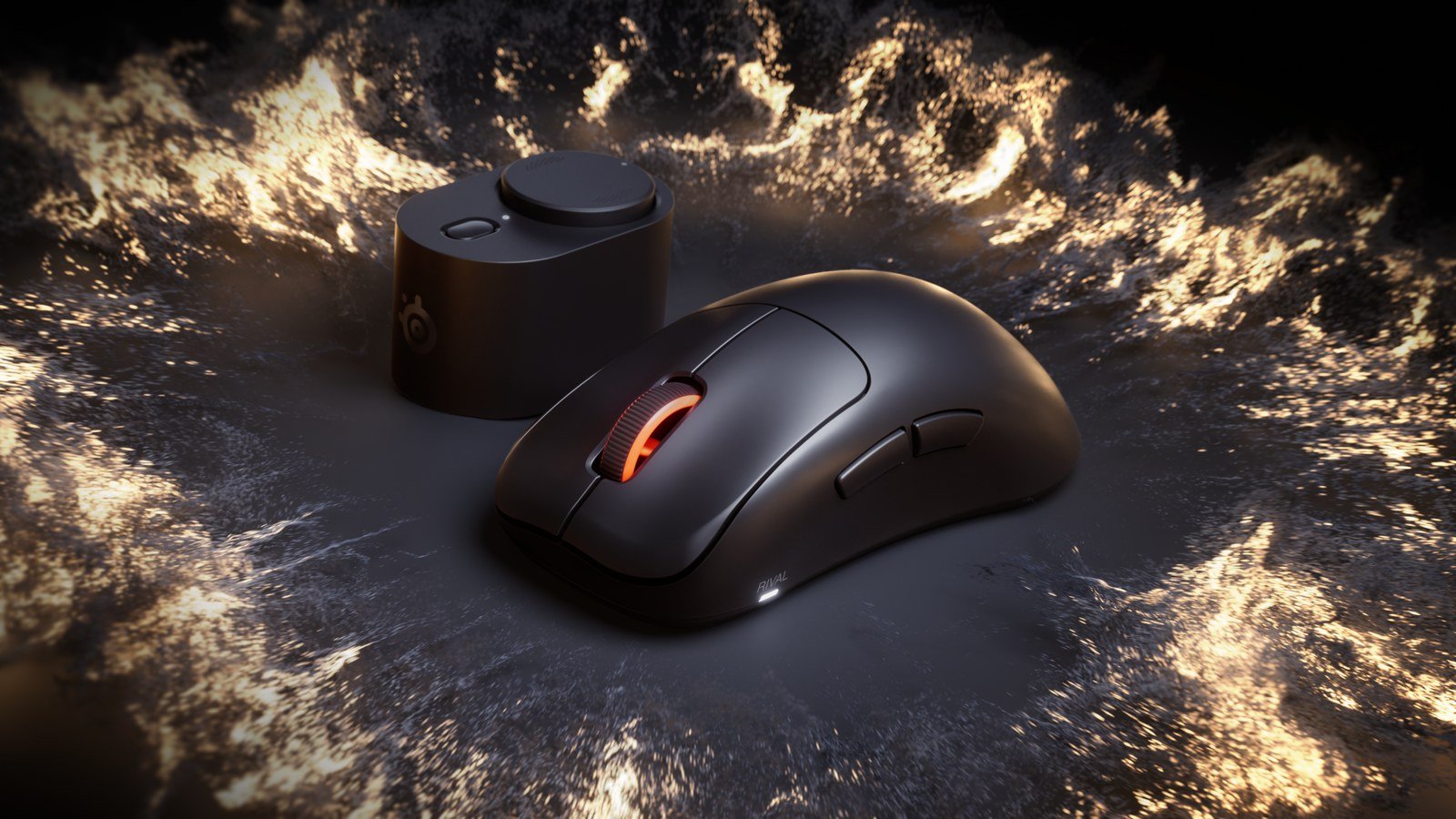
Lead image: SteelSeries Rival Pro (black) and its base station. Image: SteelSeries digital media kit, provided for media coverage of the product. Resized.