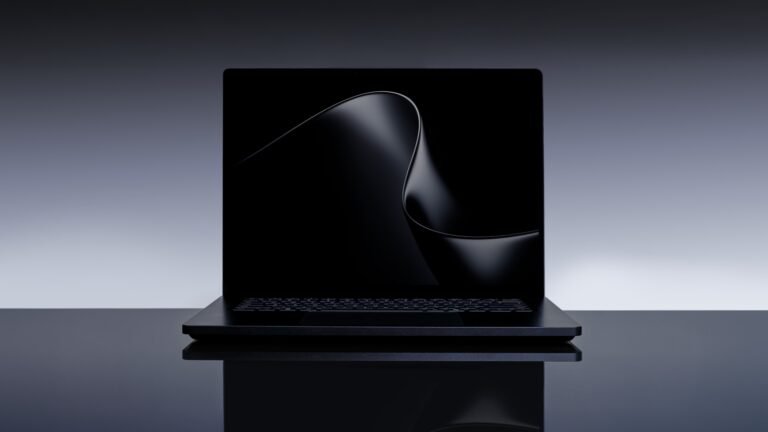




Apple finally put an OLED screen and a touchscreen in a Mac, and the reviews for the MacBook Pro with PROLED XDR Display are in: the screen is a knockout, the laptop is noticeably lighter, and the touch part is nice but optional. The catch is in the price. The 14-inch model starts at $2,899 and the 16-inch at $3,399, which reviewers at Tom’s Hardware and The Verge put at about $400 more than the non-OLED MacBook Pros with the same chips. And those chips, the M5 Pro and M5 Max, test the same as before.
Key points
- Apple’s MacBook Pro with PROLED XDR Display adds a tandem OLED touchscreen and a Dynamic Island, starting at $2,899 (14-inch) and $3,399 (16-inch).
- Reviewers at Tom’s Hardware, Ars Technica and AppleInsider call the screen the best they’ve used on a laptop.
- Tom’s Hardware and The Verge say it costs about $400 more than non-OLED MacBook Pros with the same M5 Pro and M5 Max chips, and Ars Technica found no meaningful benchmark difference from the previous model.
- Reviewers describe the touchscreen as useful but limited: no Apple Pencil support, no onscreen keyboard and no tablet mode.
What Apple is selling
Apple announced the laptops on Oct. 28 and started shipping them Nov. 6. Here’s what the company says you get. These are Apple’s own specs and claims:
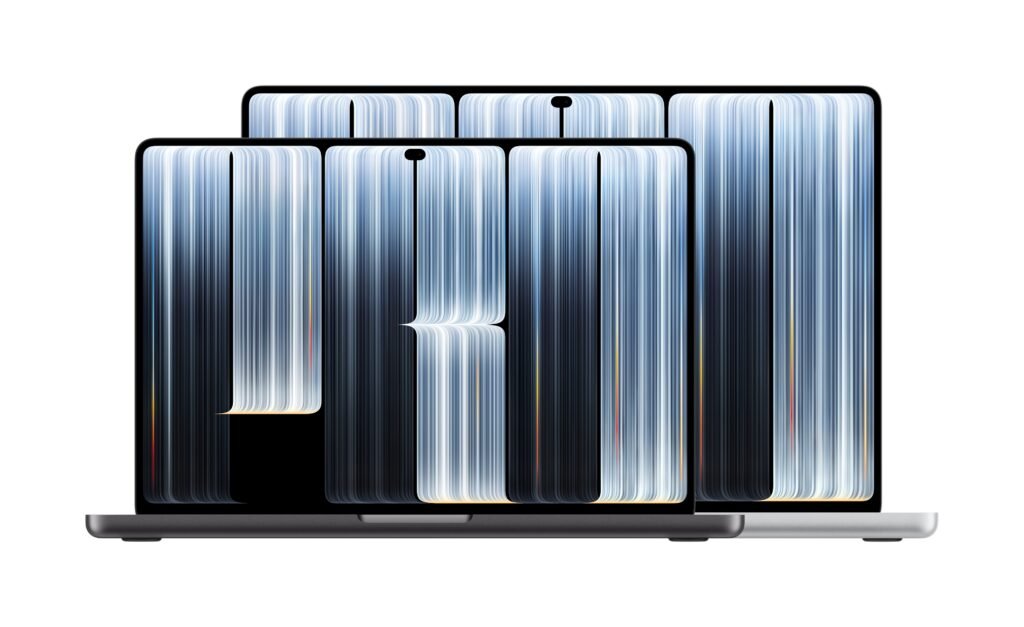
- Screen: a “tandem” OLED panel, meaning two stacked light-emitting layers, at 14.2 or 16.3 inches. Apple quotes up to 2,000 nits peak brightness for HDR and SDR, up to 1,000 nits sustained full-screen on its product page, a 10,000,000:1 contrast ratio, a 10Hz to 120Hz refresh rate, and both P3 and Adobe RGB color. It calls it “the world’s best laptop display.”
- Touch and Dynamic Island: the first Mac touchscreen, with the sensor built into the panel, plus an iPhone-style Dynamic Island around the camera for Spotlight, Live Activities and Siri AI.
- Weight: 3 pounds for the 14-inch (half a pound lighter than before) and 4 pounds for the 16-inch (0.7 pounds lighter).
- Chips and memory: M5 Pro or M5 Max, up to 128GB of memory and up to 16TB of storage.
- Battery and ports: “up to 24 hours” of battery life in Apple’s own testing, three Thunderbolt 5 ports, HDMI, an SDXC slot, MagSafe and a headphone jack.
U.S. prices: $2,899 for the 14-inch with M5 Pro, $3,399 for the 16-inch with M5 Pro, $4,499 for the 14-inch with M5 Max and $4,799 for the 16-inch with M5 Max. Tom’s Hardware notes the cheapest 14-inch uses a cut-down M5 Pro (15 CPU cores, 16 GPU cores), and both base models come with 24GB of memory and 1TB of storage. The anti-glare nano-texture glass is $150 extra.
The screen is the story
Reviewers agree on this part. Tom’s Hardware’s Andrew E. Freedman calls it “the best laptop screen I’ve ever seen.” Ars Technica’s Samuel Axon says it’s “certainly the best I’ve ever used on a laptop” and compares it to “an ultra-high-end TV or reference monitor.” AppleInsider’s Mike Wuerthele calls the display “why you buy this machine.” The Verge’s David Pierce gives the laptop a 9 out of 10.
Tom’s Hardware’s measurements add some nuance. The panel hit 1,964 nits in its 40% HDR test, close to Apple’s 2,000-nit claim. But it measured 542.6 nits in the site’s SDR brightness test, below the 944 nits of Microsoft’s mini LED Surface Laptop Ultra. It also covered 83.6% of the DCI-P3 color gamut by volume, “slightly lower than the mini LED version.” Freedman still says it looks better side by side. Pierce notes the screen “only hits peak brightness under very specific conditions.”
The weight loss is real too: Wuerthele says it’s noticeable “from the moment you pick up” the 16-inch model.
Touch is a mouse with your finger
Pierce calls the touchscreen “a mouse emulator and nothing more.” Taps register as clicks, which means it works almost everywhere, but he hit the occasional game button that ignored touch, there’s no way to hover, no onscreen keyboard when you tap a text box, and no Apple Pencil support. He ended up at “maybe a half-dozen taps on the touchscreen a day.” Axon calls the lack of a tablet mode or Pencil support “a missed opportunity,” says some macOS controls are too small for his fingers, and adds that “as Jobs predicted all those years ago, my arm got tired.”
Reviewers don’t fully agree on the hinge. Apple says it redesigned it for touch, and Axon says the screen is “not particularly wobbly when you touch it.” Wuerthele says it’s “still a little bouncy.”
The chips haven’t moved
This is the part Apple’s launch materials don’t dwell on. The PROLED models use the same M5 Pro and M5 Max as the MacBook Pros Apple still sells without OLED. Axon found “no meaningful difference at all” in synthetic benchmarks against the previous model. Wuerthele says benchmarks were “the same as last time, within less than a percent,” and couldn’t measure any speed or fan-noise gain from the redesigned cooling.
Meanwhile, Apple announced a 14-inch MacBook Pro with the newer M6 the day before, starting at $1,999 with its existing Liquid Retina XDR (mini LED) screen. Pierce writes that on a single-core benchmark, the M5 Pro “comes in slightly behind most M6 devices, even much cheaper ones,” while the Pro and Max chips pull ahead on multi-core and GPU-heavy work. Freedman makes the same point: for simple work, “you can get much better single-core performance out of an M6 MacBook Pro,” though you give up everything else.
Why no M6 Pro? Ars cites a Bloomberg report that Apple is skipping Pro and Max versions of the M6 to focus on an M7 line due in 2027 that’s built around on-device AI. That’s a report, not an Apple announcement. AppleInsider says it expects an M7 version around November 2027, and Axon suggests developers doing AI work might want to wait.
The rest of the downsides
- Upgrade prices: Tom’s Hardware says 48GB of memory costs $600 more than 24GB, and going from 2TB to 4TB of storage costs $1,000. Axon’s review unit (16-inch, M5 Max, 128GB, 2TB) is $7,399. Pierce prices the maxed-out model at $14,549.
- Flicker: AppleInsider measured pulse-width modulation, the rapid on-off dimming OLED panels use, at 240Hz with a 56% flicker amplitude. It says that matches modern iPhones, but on a screen that fills more of your vision. Its advice: if you know you’re sensitive, don’t buy it.
- Battery: Tom’s Hardware got 15 hours and 57 minutes on its 16-inch, ahead of the Lenovo and Dell OLED laptops it compared but short of Apple’s 17-hour web browsing rating and of the mini LED 14-inch M5 Max it tested earlier (just under 18 hours). Apple’s “up to 24 hours” figure is for video playback on M5 Pro models, AppleInsider notes.
- Heat and sound: under Tom’s Hardware’s Cinebench stress test, the keyboard reached 106.6°F and scores slid from 9,080 to the 8,050s as it throttled. Pierce finds the new speakers “a bit bass-heavy and roomy,” while Freedman calls the deeper bass “a real treat.”
The price ladder
Put Apple’s U.S. list prices side by side and the trade gets clearer:
- $1,999: 14-inch MacBook Pro with M6, mini LED, no touch. Newest chip; reviewers say it wins on single-core speed.
- $2,899: 14-inch PROLED with a cut-down M5 Pro, 24GB and 1TB. That’s $900 more than the M6 model, mostly for the screen, touch and lighter body.
- $3,399: 16-inch PROLED with the full M5 Pro.
- $4,499 and $4,799: 14-inch and 16-inch PROLED with M5 Max.
In other words, the PROLED premium buys a better display and a lighter laptop, not more speed. Amazon.com listed both base models in stock at Apple’s list prices this afternoon, including the 16-inch M5 Pro model.
Who should buy it, and who should skip
Buy it if you edit photos or video, grade color or design for print and want a reference-grade screen you can carry, or if you’re replacing an older laptop: Axon says the display “makes a compelling case for upgrading, especially if you’re coming from an older, pre-MiniLED laptop.” Pierce says that for an M1-generation owner who wants a laptop that lasts as long, “the PROLED Pro is the one to get.” Engadget’s Nathan Ingraham said after his hands-on that the $400 premium “at least feels justified.”
Skip it if you bought a MacBook Pro in the last couple of years (Pierce says you don’t need to replace it), if you mainly want speed, or if you’re sensitive to screen flicker. Axon says most buyers will get “more bang for your buck” from the non-OLED Pro or a MacBook Air. And if you were hoping for an iPad-style Mac with a Pencil, this isn’t it.
Open questions: how the first tandem OLED Mac panel holds up over years of static menu bars and docks (Apple says its display engine “monitors and adapts each pixel’s usage over time”), whether pro apps actually add touch controls (Apple lists Adobe Lightroom, DaVinci Resolve, Blender and others, with some arriving “later this year”), and whether OLED reaches cheaper Macs. Pierce expects it to spread to every MacBook Pro in “a year or two,” but that’s his guess, not an Apple plan.
The takeaway
Apple built a gorgeous, lighter MacBook Pro and put a touchscreen in it that reviewers mostly forget about. The screen is worth paying for if your work lives on it. But with the same M5 chips, a cheaper M6 model that wins single-core tests, and a reported M7 refresh on the way, this is a $400 display upgrade, not a faster Mac.
Hype in. Signal out.
Lead image: MacBook Pro with PROLED XDR Display in space black and silver. Image: Apple Newsroom media, provided for editorial use; unaltered.